
· 7 min read · claude · claude code
I connected Claude Code to a database of 1.3B Polymarket trades with an MCP. Here's what it found.
I had the full on-chain Polymarket ledger in Postgres but answering questions meant hand-writing SQL across 1.3B rows. So I gave Claude Code a Postgres MCP and just asked it questions in plain English. This is the build, the exact config, and what it found about who actually makes money.
By CrowdIntel · Updated
I run CrowdIntel, an on-chain analytics platform for prediction markets. Under the hood there's a custom indexer that pulls every Polymarket contract on Polygon into a Postgres database — about 1.3 billion trades across 1.56 million wallets. The data was all there. The problem was getting answers out of it: every question meant hand-writing SQL against a 1.3B-row table, remembering which columns were trustworthy, and not accidentally scanning the whole thing.
So I gave Claude Code a Postgres MCP pointed at that database, and started just... asking it questions in plain English.
On this page
The setup
custom indexer → Postgres (1.3B trades, 1.56M wallets) → MCP → Claude
Internally that middle box was the community Postgres server wired into Claude Code's .mcp.json — raw connection string, raw SQL, my own database:
{
  "mcpServers": {
    "Postgres": {
      "command": "npx",
      "args": [
        "-y",
        "@modelcontextprotocol/server-postgres",
        "postgresql://USER:PASSWORD@HOST:5432/polywhales"
      ]
    }
  }
}
That config only works if you own the database. You don't need to. Since this post first went up we packaged the exact same ledger behind the CrowdIntel MCP server — a remote Streamable-HTTP endpoint with 16 read-only tools, so your Claude gets the answers below without a connection string, a schema, or a line of SQL:
{
  "mcpServers": {
    "crowdintel": {
      "type": "http",
      "url": "https://mcp.crowdintel.xyz/mcp",
      "headers": {
        "Authorization": "Bearer cint_mcp_YOUR_TOKEN_HERE"
      }
    }
  }
}
Either way, Claude runs read-only queries against the live ledger itself — no copy-pasting result sets, no me writing the SQL. Then I just asked.
What Claude found
I started with the obvious one, typed exactly like this:
"how many Polymarket traders actually make money?"
Claude wrote the aggregate, knew to use the pre-aggregated wallet_stats table instead of scanning 1.3B raw trades, handled the PnL-coalescing quirk (we store a reconciled figure and a computed fallback), and came back with the headline:
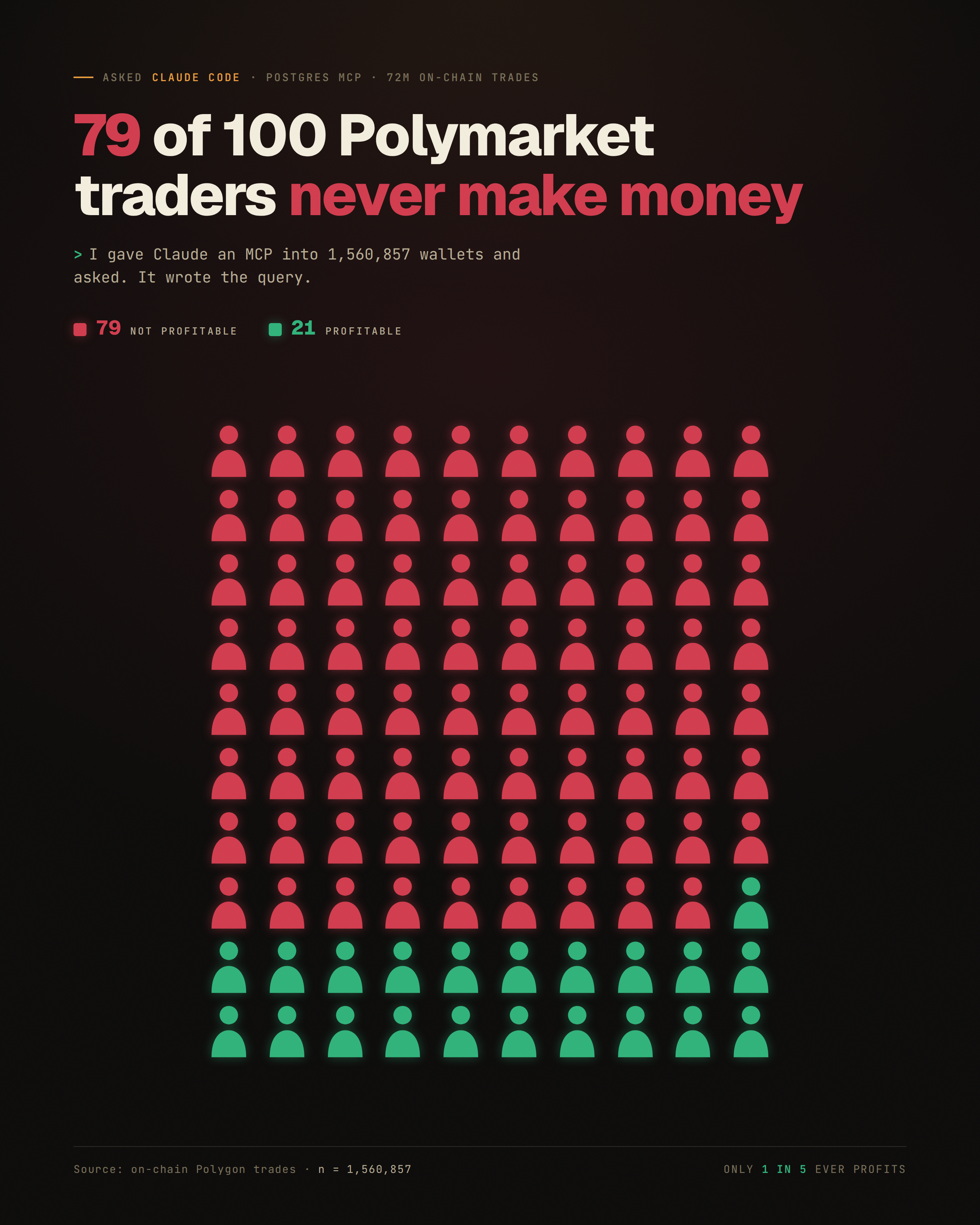
Only ~20% — about 1 in 5 — of all 1,560,894 wallets are net positive. The other ~80% never made money overall.
Then I kept pulling the thread, one plain-English question at a time:
- The $1,000 club is tiny. Only 37,628 wallets (2.4%) have ever cleared $1,000 in profit. By $100k, you're down to ~1,200.
- The money is brutally concentrated. The top 0.1% of wallets captured ~70% of the roughly $965 million in total profit. The single biggest verified wallet made $19.4M at an 87% win rate; the biggest loser dropped $21.8M.
- A lot of the winners aren't human. Classified by behavior, ~23,600 wallets are bots, and a cluster of ~3,100 "whale" wallets captured a disproportionate share of the profit between them.
Each of those was one question. Claude wrote the SQL, caught the gotchas, and returned a number I could trust — across a table most BI tools choke on. Here's the actual biggest verified winner it surfaced, live from the database:
Whale 0xc23b...24f9
view full dossier →- Trades
- 0
- Volume
- —
- Win rate
- —
- PnL
- —
The single biggest verified winner in the dataset — an 87% win rate across 116 resolved bets. This card is live: click through for the full dossier.
One detail worth flagging: the raw max PnL in the table reads $22M, but that row is a corrupted duplicate (a URL-encoding artifact glued onto the wallet address, with zero resolved bets). The biggest real winner is $19.4M. This is exactly the kind of gotcha Claude flagged when its raw number disagreed with the clean one — which brings me to the point.
Why this worked better than a dashboard
I've built dashboards. They answer the questions you anticipated when you built them. The MCP + Claude Code setup answers the questions you think of now — including the follow-ups ("ok, but how many of those winners are bots?") that you'd never pre-build a chart for. It's the difference between a fixed report and a conversation with your own data.
The agentic part matters: Claude didn't just translate English to SQL. It knew not to COUNT(*) a 1.3B-row table, picked the right pre-aggregated source, scoped the claim correctly when a raw-SQL number differed from the UI, and flagged its own assumptions. That's the part a naive text-to-SQL tool gets wrong.
How to do this yourself
You don't need my database, my indexer, or any SQL. Point your own Claude at the CrowdIntel MCP server — same ledger, ~2 minutes:
- Mint a token. Subscribe on Pro ($29/mo) or higher, then create a
cint_mcp_…token under Account → API. - Add the server. Drop this into
claude_desktop_config.json(Claude Desktop),.mcp.json(Claude Code), or your Cursor / Zed MCP config — the URL is the same everywhere:
{
  "mcpServers": {
    "crowdintel": {
      "type": "http",
      "url": "https://mcp.crowdintel.xyz/mcp",
      "headers": {
        "Authorization": "Bearer cint_mcp_YOUR_TOKEN_HERE"
      }
    }
  }
}
- Restart and ask in plain English. Sixteen read-only tools show up — wallet dossiers, funding clusters, insider signals, market flow, whale tape, curated investigations. Ask "who are the sharpest politics traders this week?", "is this wallet in a funding cluster?", "what markets are moving right now?" and the client calls the tools itself.
Client that only speaks stdio (older Cursor, some Zed builds)? Wrap it with npx -y mcp-remote https://mcp.crowdintel.xyz/mcp --header "Authorization: Bearer cint_mcp_…" — full per-client configs and the tool list are on the MCP page.
Rate limits scale by tier: 50 tool calls/day on Pro, 300 on Terminal ($99/mo, adds the REST API + webhooks), 1,500 on Terminal Pro.
Sitting on your own database instead? Same trick, different server: drop the @modelcontextprotocol/server-postgres entry from the top of this post into .mcp.json with a read-only role, restart, and ask. That's what I did here — it's the most useful thing I've done with Claude on this codebase.
See it / try it
- Wire it into your own model: the CrowdIntel MCP server — 16 read-only tools over the same ledger, in Claude Desktop, Claude Code, Cursor, or Zed. From $29/mo, config above.
- Building a bot or app instead of chatting? Terminal ($99/mo) adds the REST API (
/api/v1— wallets, signals, trades, markets, clusters) and webhooks over the same data. Terminal Pro adds hosted backtests. - Just want to look around: the dashboard is free to browse — any wallet's real P&L, the insider radar, or the full profitability breakdown.
Give your AI client the full Polymarket ledger. Set up the MCP server →
Wire the ledger into your model.
The CrowdIntel MCP server puts all 1.6B+ trades in your model — the exact tools Claude used in this post, in Claude Desktop, Cursor, or Zed. Free to test on any account — 20 calls a day, no card; the REST API is free to test too.
FAQ
How many Polymarket traders actually make money? About 1 in 5. Of 1,560,894 wallets, only ~20.6% (322,287) are net profitable. The other ~80% are net negative overall.
How concentrated are Polymarket profits? Extremely. The top 0.1% of all wallets captured roughly 70% of the ~$965M in total positive profit. The biggest verified winner cleared $19.4M; the biggest loser dropped $21.8M.
How many wallets have made over $1,000? Only 37,628 — about 2.4%. By $100k you're down to roughly 1,200 wallets.
How many Polymarket traders are bots? About 23,600 wallets are bots and ~3,100 are whales. A large share of the consistent winners aren't human.
How do I connect Claude to Polymarket data?
Use the CrowdIntel MCP server — no database of your own required. Mint a cint_mcp_… token from Account → API on any Pro plan ($29/mo) or higher, add the crowdintel entry above to claude_desktop_config.json (Claude Desktop) or .mcp.json (Claude Code) pointing at https://mcp.crowdintel.xyz/mcp with an Authorization: Bearer header, and restart. Sixteen read-only tools appear. Cursor and Zed use the same URL.
How do you connect Claude Code to a Postgres database?
Add the community Postgres MCP server to Claude Code's .mcp.json with your connection string, restart, and ask questions in plain English — Claude writes and runs the read-only SQL for you. For Polymarket data specifically you don't need to: the CrowdIntel MCP server already exposes this ledger as 16 purpose-built tools.